The clinical workspace
Everything a consultation needs, in the order you need it.
The visit, the prescription, the documents, the patient’s history and the running of the practice — in one application on your own computer. Every screen below is the real one.
The consultation
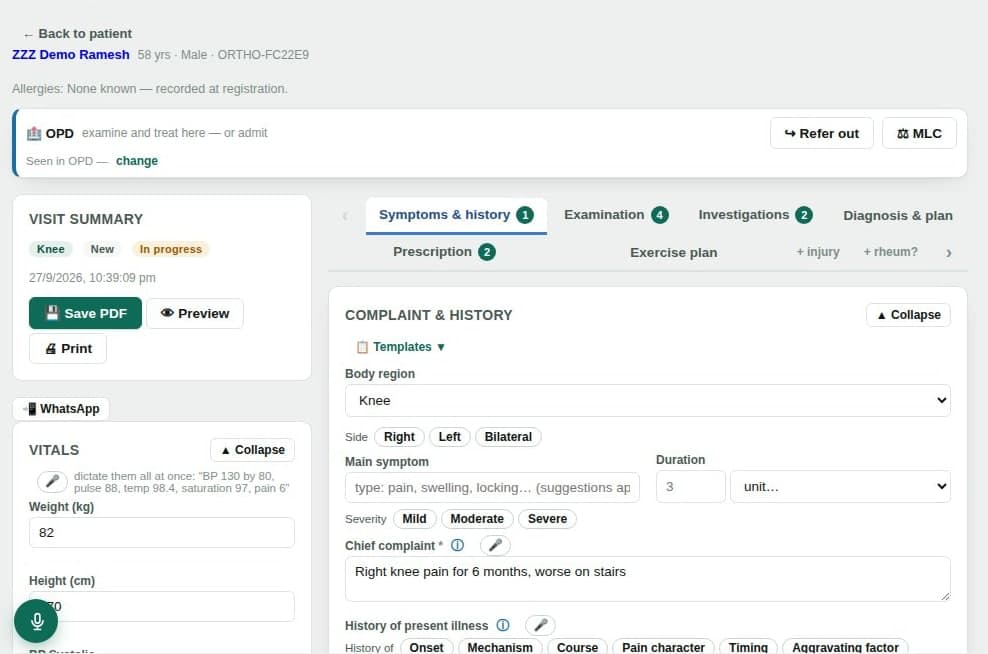
One visit screen that follows the order you think in: symptoms and history, examination, investigations, diagnosis and plan, prescription, exercise plan.
- Several complaints in one visit
- Each complaint keeps its own body region and side.
- Vitals by voice
- Say “BP 130 by 80, pulse 88, saturation 97” and the fields fill in for you to check.
- Repeat from the last visit
- Bring forward the previous medicines, diagnosis or advice, then edit.
- Alerts where they matter
- Allergies and red flags appear at the top of the visit, not on another screen.
Prescription and documents
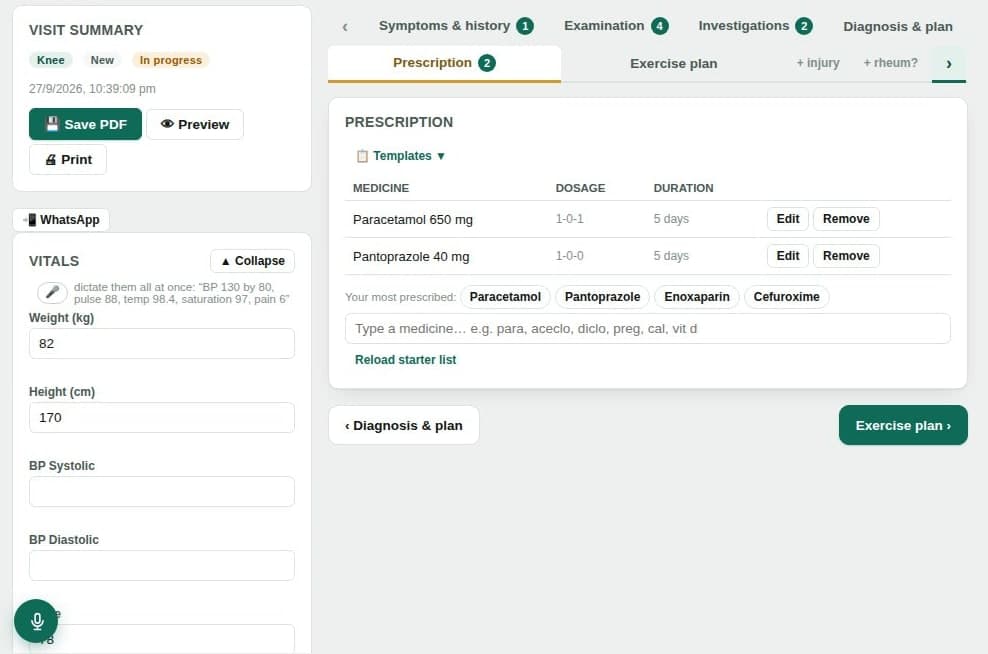
A prescription built from your own habits, printed on your letterhead with only the sections you tick.
- Indian brand names
- A built-in starter catalogue of Indian brands, your most-prescribed list and favourites.
- Dosing as you write it
- 1-0-1 dose chips, durations, instructions and tapering schedules.
- Safety checks you can see
- Allergy, duplicate-NSAID and interaction warnings. Overrides are allowed and recorded.
- Print, PDF or WhatsApp
- A4 or A5 on your letterhead. Referral letters and certificates also export to Word.
Dictation and optional local AI
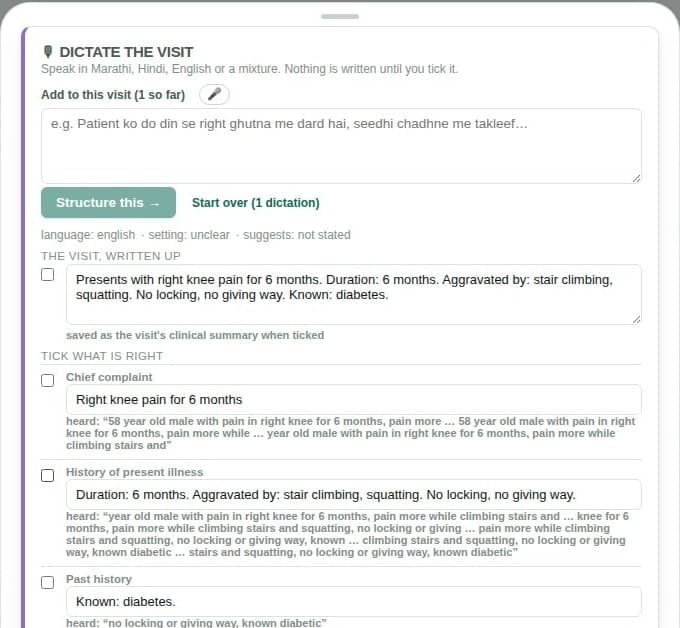
Speak the visit in English, Hindi, Marathi or a mixture. The app proposes a structured note; you tick what is right.
- You approve every field
- Dictated text is a proposal. Nothing goes into the record until you tick it.
- Local AI, off by default
- AI runs on your own computer only after an administrator switches it on. Cloud AI models are refused.
- Suggestions, labelled as such
- With AI on, differentials and missing details appear as suggestions that need your review.
- Voice needs the internet
- Speech is turned into text by your browser’s speech service, so dictation needs a connection.
The patient over time
Visits, investigations, admissions, certificates and medico-legal entries on one timeline, so the next consultation starts with context.
- One timeline per patient
- Every visit and document in date order. Voided entries stay visible, marked as void.
- Results that are still awaited
- Ordered investigations stay on a list until a result is entered.
- Reports read offline
- Text in scanned or PDF reports is read on your computer, without an AI model.
- Documents per patient
- Every printed PDF and certificate for the patient in one place.
Running the practice
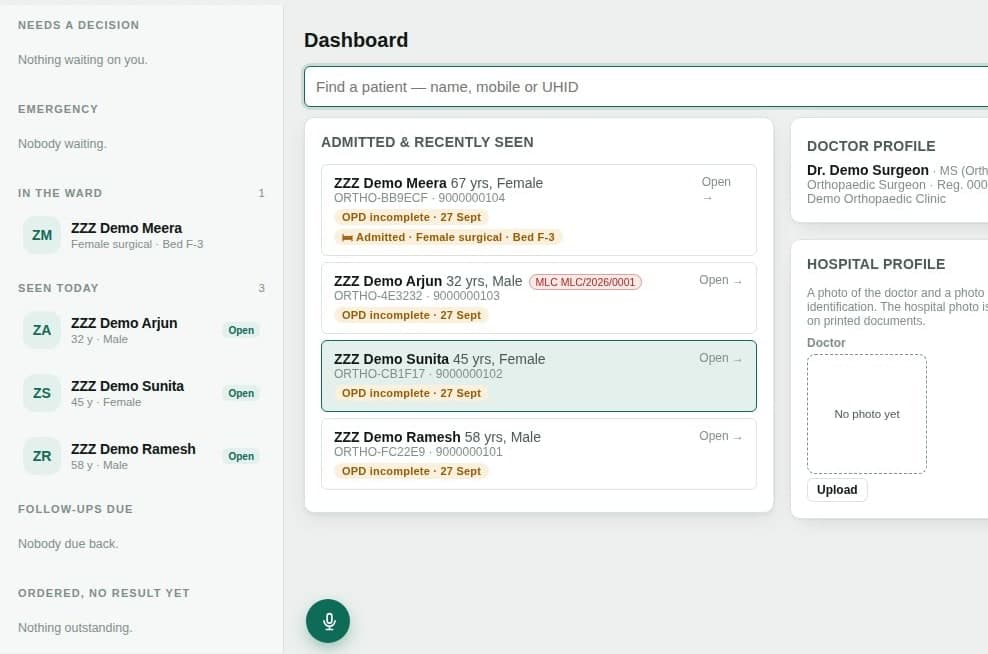
The front desk, the bills and the staff, in the same application as the clinical record.
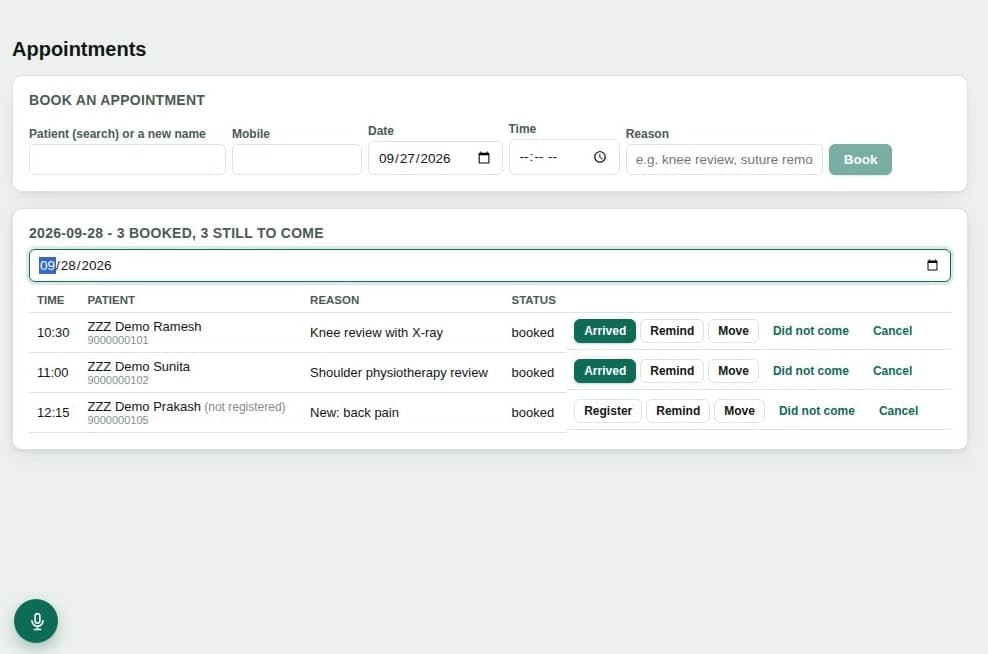
- Appointments
- Book patients and new callers, mark arrivals and no-shows, send WhatsApp reminders.
- Bills and receipts
- Your fee list, receipts numbered by financial year, cash, UPI, card and cheque.
- Staff and permissions
- Roles for surgeon, reception, assistant and ward staff, each with their own login.
- Your own reference library
- Add your PDF textbooks and search them offline by book, chapter and page.
Certificates and medico-legal documents
Generated from the patient, doctor and clinical details already recorded. Preview, edit, finalise — finalised certificates are locked and need your password.
- Sickness certificate
- Medical leave certificate
- Fitness certificate
- Disability certificate (orthopaedic)
- Injury certificate (medico-legal)
- Injury certificate in medico-legal report format
- Consent for medico-legal examination
Good to know before you start
- It is a Windows desktop application. Records live on your computer, or on one computer you make your clinic server.
- The application is in English. Patients can receive exercise plans and instructions in Hindi or Marathi.
- Voice dictation uses your browser’s speech service, so it needs an internet connection. Everything else works offline.
- AI is optional, off by default and runs locally. Suggestions are always shown as suggestions.
Ortho-Doc-Assist is clinical documentation and workflow software. It does not diagnose patients or replace clinical judgement. All clinical decisions remain with the treating doctor.